monday.com Extensions by Sorobu
Supercharge Your
monday.com Boards
We build powerful, native extensions that turn your boards into something more. Starting with Mind Map View — your board, visualized as a live mind map.
Featured Extension
Mind Map View
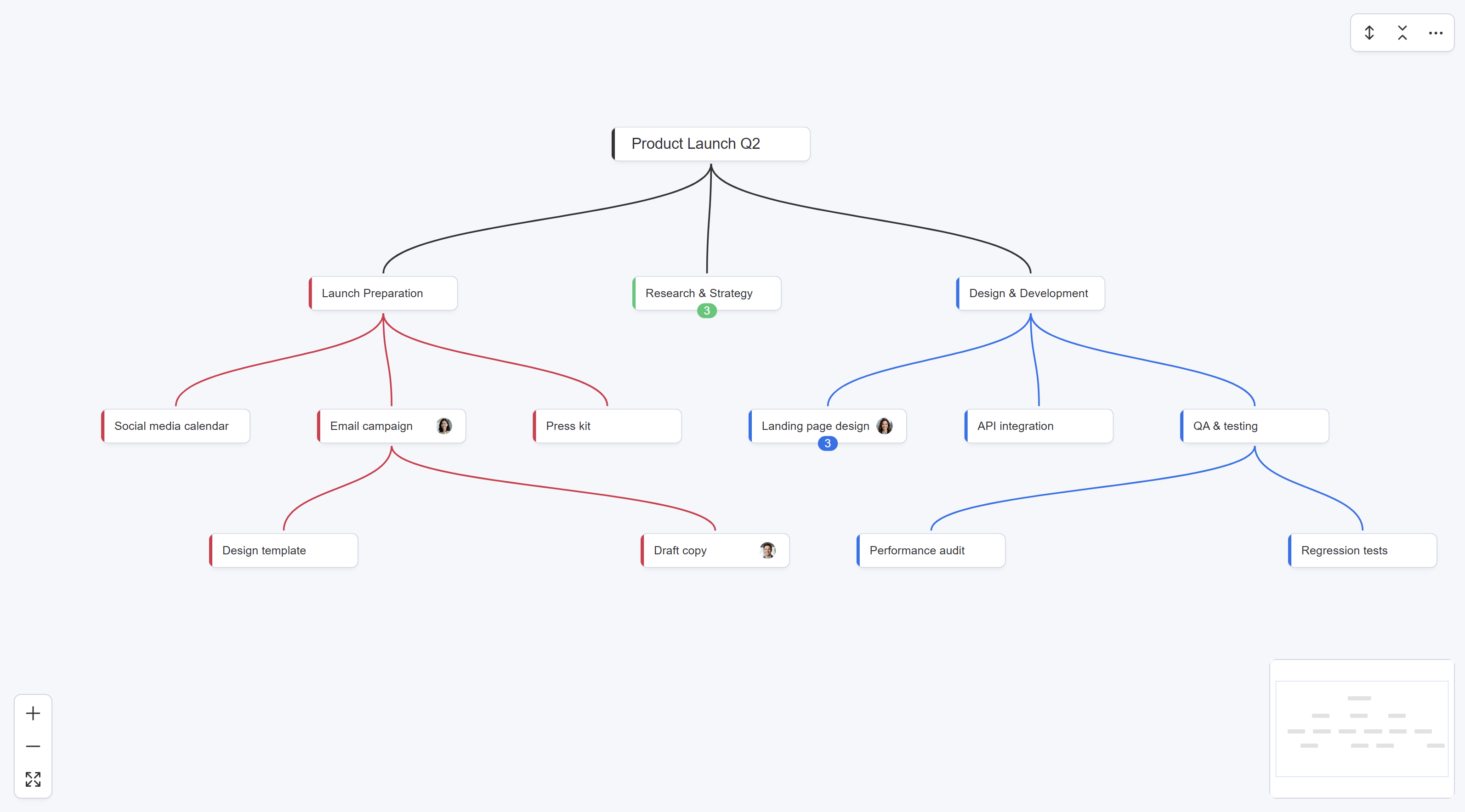
Transform your monday.com board into an interactive, auto-updating mind map. Every change syncs both ways — no refresh buttons, no re-typing.
- Automatic bidirectional sync — edit the map or the board, both stay current
- Drag-and-drop — move and copy entire branches with ease
- Full keyboard support — create, navigate, and organize without touching the mouse
- No external servers — your data never leaves monday.com
Features
Everything you need, nothing you don't
Mind Map View is a real board view — no external tools, no configuration, no learning curve.
Bidirectional Sync
Changes in the map update your board. Changes in the board update the map. Automatically.
Drag-and-Drop
Move or copy entire branches with drag-and-drop or keyboard shortcuts. Confirmation before every move.
Person Assignment
Assign people directly from the map. Avatars display below each node, synced with your Person column.
Search & Filter
Press Ctrl+F to find any node instantly. Matches highlight, non-matches dim, collapsed branches auto-expand.
Full Keyboard Support
Create, navigate, edit, collapse, cut, copy, paste — all from the keyboard. Fast and intuitive.
5-Level Subitems
Groups, items, and subitems up to 5 levels deep. Your full board hierarchy, visualized and editable.
Use Cases
Built for how teams actually work
Brainstorming
Run brainstorming sessions that feed directly into actionable tasks on your board. No copy-pasting between tools.
Project Breakdowns
Break complex projects into manageable pieces. Your hierarchical structure stays current as your team updates the board.
Sprint Planning
Visualize sprint scope with a bird's-eye view. Collapse completed groups, focus on what's next, reorganize priorities.
Team Onboarding
Give new team members a visual overview of project structure. One glance at the mind map beats scrolling through rows.
Data stays in monday.com
Your board data never leaves the platform. No external databases, no third-party storage.
No external servers
Mind Map View runs entirely in your browser. No backend, no configuration, no reliability worries.
Native board view
Installs as a real monday.com view alongside Table, Kanban, and Calendar. Supports all themes.
Roadmap
More extensions on the way
Mind Map View is just the beginning. We're building a suite of extensions that make monday.com even more powerful.
Dependency View
Visualize and manage dependencies between tasks directly on your board. See what blocks what, at a glance.
Critical Path Timeline
Identify the critical path in your projects and instantly see how moving a task impacts everything downstream.
Want to be notified when these launch?
Get notified →Pricing
Simple, transparent pricing
Start free. Upgrade when you need unlimited boards.
Free
All features on 1 board
- Full mind map with bidirectional sync
- Create, rename, delete nodes
- Move & copy branches
- Person assignment
- Search, collapse, keyboard shortcuts
- 14-day Pro trial included
Pro
Unlimited boards, all features
- Everything in Free, plus:
- Unlimited boards
- All current and future features
- Priority support
Save 20% with annual billing — $4/seat/month
FAQ
Frequently Asked Questions
Yes! The Free plan includes all features on one board, forever. When you're ready for unlimited boards, upgrade to Pro at $5/seat/month. You also get a 14-day Pro trial when you install.
No. Mind Map View runs entirely in your browser and communicates directly with monday.com's API. There are no external servers, no third-party storage, and no data leaving the platform. Your data stays in monday.com.
Mind Map View uses automatic bidirectional sync. When you create, rename, delete, or move a node in the map, the change appears in your board instantly. When a teammate edits the board, the map updates within seconds. No "Refresh" or "Push" buttons needed.
Nothing changes in your board data. Mind Map View is a view layer — it reads and writes to your existing board. Uninstalling simply removes the view. Your groups, items, subitems, and all data remain exactly as they are.
The Free plan lets you use Mind Map View on 1 board per account. Your Free board is automatically assigned to the first board where you open Mind Map View. If that board is deleted, the next board you open becomes your new Free board. The Pro plan ($5/seat/month) unlocks unlimited boards.
Mind Map View supports your full board hierarchy: groups, items, and subitems. The subitem depth depends on your monday.com board type: multi-level boards support up to 5 levels of subitems, while classic boards support 1 level. There is no item limit imposed by our app — Mind Map View follows monday.com's own board type limits.
Click the ⋯ menu inside Mind Map View for quick access to bug reports, feature requests, and the tutorial replay. You can also email us at hello@sorobu.io or visit the Help page.
Ready to see your board as a mind map?
Install Mind Map View for free. No credit card, no configuration — just add the view to any board.